How photo calorie tracking works
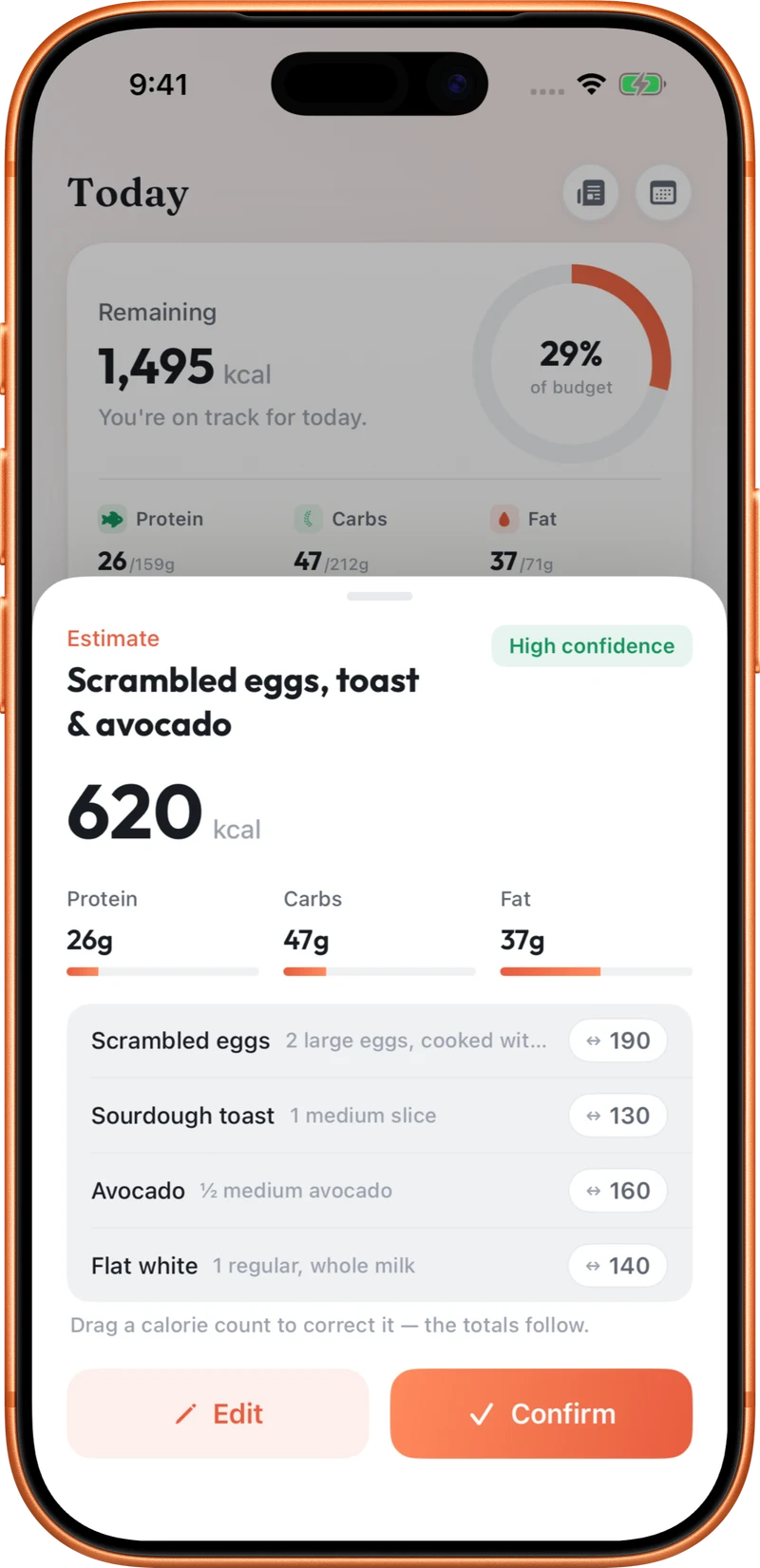
When you log a meal from a photo, AI looks for the foods on the plate, estimates how much of each there is and suggests calories and macros. In CutWise photo logging, you then see the individual foods with their calories, protein, carbs and fat, and can change any of them before confirming.
The result is a starting estimate. A picture cannot weigh a portion, see what is inside a sandwich or know how much oil went into the pan.
Tips for a better photo
- Get the whole meal in frame. Include every item on the plate, plus sides and drinks if you want them logged.
- Use good light. Daylight or a well-lit table makes foods easier to recognise.
- Shoot from above or at a slight angle. A top-down view shows how much of the plate each food covers.
- Take it before you eat. A half-finished plate makes portions much harder to judge.
- Keep items visible. Where it is easy, avoid piling foods on top of one another.
Review and adjust before logging
Check each food and quantity in the estimate. If something is missing, wrong or the portion looks off, change it. CutWise lets you edit portions and calories rather than accepting the estimate as it stands, and your daily calorie and macro totals update when you confirm.
When another method works better
- Packaged food: scan the barcode and check the serving size against the packaging.
- Meals you can describe precisely: type or say the foods and quantities, such as “two eggs and one slice of sourdough toast with butter”.
- Meals you eat often: save them so you can add them again quickly.
How accurate is a photo estimate?
Accuracy depends on the meal. A plate of clearly separated foods is easier to estimate than a stew, curry or layered dish. Treat photo logging as a fast, consistent way to keep a record, and correct it where you know better. Consistency over weeks matters more than precision at any single meal. Our guide to counting calories without a scale has more on estimating portions.