Take a clear photo
Keep the whole meal in view. A photo gives CutWise a starting point for recognising foods and estimating portions.
Photo food logging
Use a photo to start your food log. CutWise suggests the foods on your plate and estimates calories, protein, carbs and fat. You check the result before it becomes part of your day.

Free to start. Optional Pro subscription.
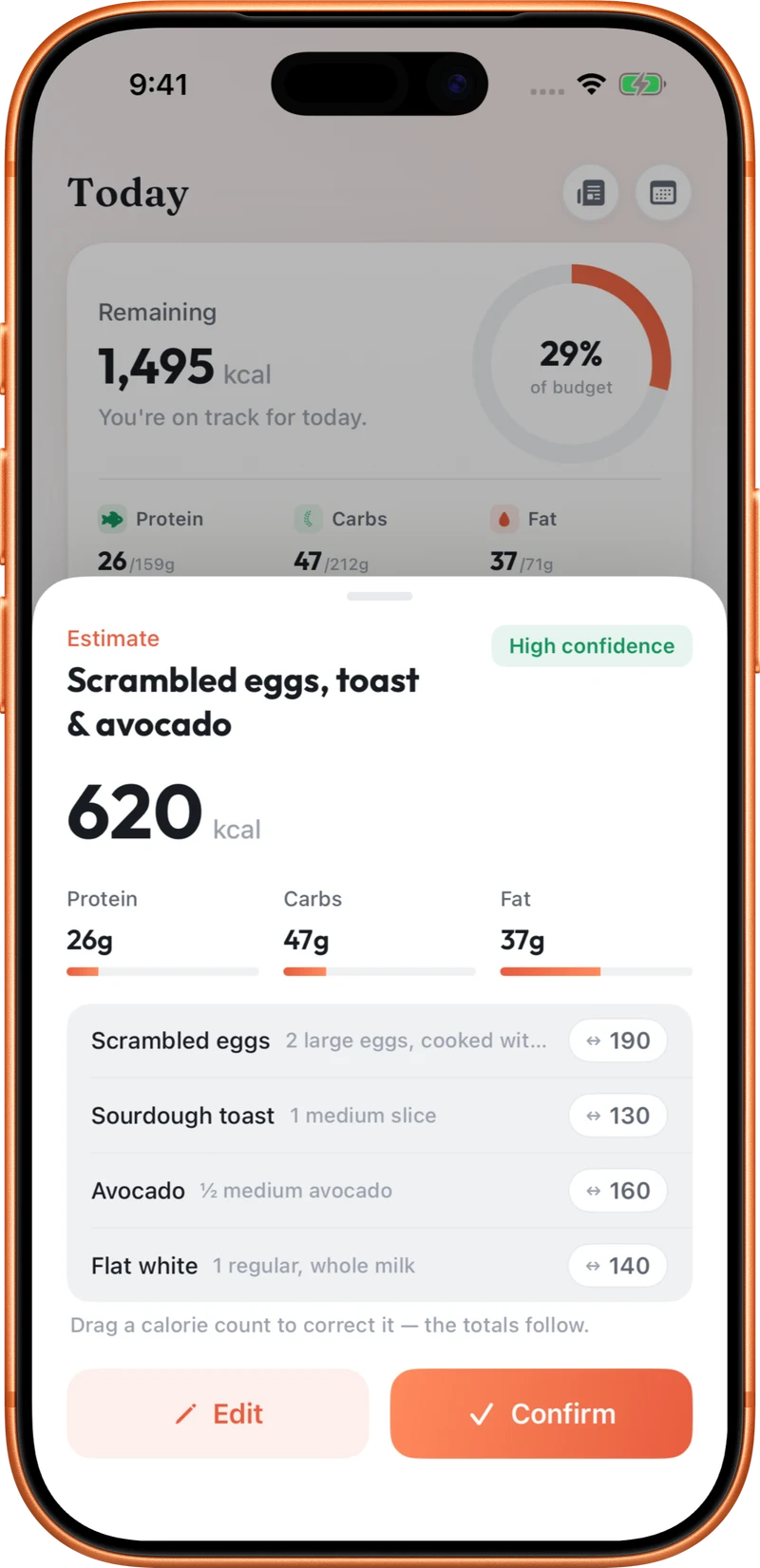
Keep the whole meal in view. A photo gives CutWise a starting point for recognising foods and estimating portions.
Look through the ingredients and quantities. Add context for ingredients the camera cannot see, such as cooking oil, sauces or fillings.
Change portions or calories where needed, then confirm your meal. Your daily calorie and macro totals update with the entry.
A picture cannot weigh a portion or reveal everything in a recipe. Photo logging is useful when you want a starting estimate for a meal, but it is not a precise measurement. Check packaged-food labels or known recipe quantities when those are available. CutWise lets you edit the estimate instead of accepting it unchanged.
For a sandwich, include the bread, filling and sauces when reviewing the result. Two sandwiches can look similar while containing very different portions.
No. Portion size, hidden ingredients and preparation methods can change the result. Treat the output as an estimate and review it before logging.
Yes. CutWise estimates protein, carbs and fat alongside calories, and shows the meal in your daily totals.
Use Scan for packaged foods, then check the product record and serving size against the packaging. You can also describe a meal with text or voice.
Explore food logging, your Programme, coaching and activity tracking.